
Saramsh Gautam on Dec 01, 2025
Reading Time: 11 Min
“Hey Siri, find fancy restaurants near me!” or “Alexa, how do I make a corndog at home?”
That’s how most smartphone-savvy users search today, not by typing, but by speaking. And it’s not a fringe habit anymore.
More than half of American adults use voice search daily, often to shop, compare products, and find nearby services. It signals a shift from traditional keyword-based searches to natural, conversational queries.
Even though Google may show similar websites in both formats, the ranking logic for voice search works differently. Voice assistants favor pages that present information in a natural, semantic, and easy-to-read manner; the kind of content that sounds like an answer, not just text on a page.
Let us break it down for you.
Why Does Voice Search Optimization Matter
When you optimize your website and its content for voice search, you make it easier for people who rely on voice assistants to discover your information, products, or services, increasing brand visibility and driving more traffic to your website.
Voice search optimization (VSO) aligns your content with how people naturally speak. Instead of strict keywords, it focuses on conversational phrases, clear answers to common questions, and concise statements that are easy for voice assistants to read aloud.
As per Google’s voice search standards, it also relies on structured data, fast mobile performance, and accurate local information to better understand and prioritize your content.
With the rise in smartphone usage, folks are more likely to search with a short voice command than typing a sentence. Here are the reasons why voice search optimization matters.
1. Rise of Natural Language Search (The Traffic Driver)
People now talk to their devices the way they speak to each other, using longer, more specific questions like “Where’s an affordable, fashionable hair salon near me?” instead of short keyword searches.
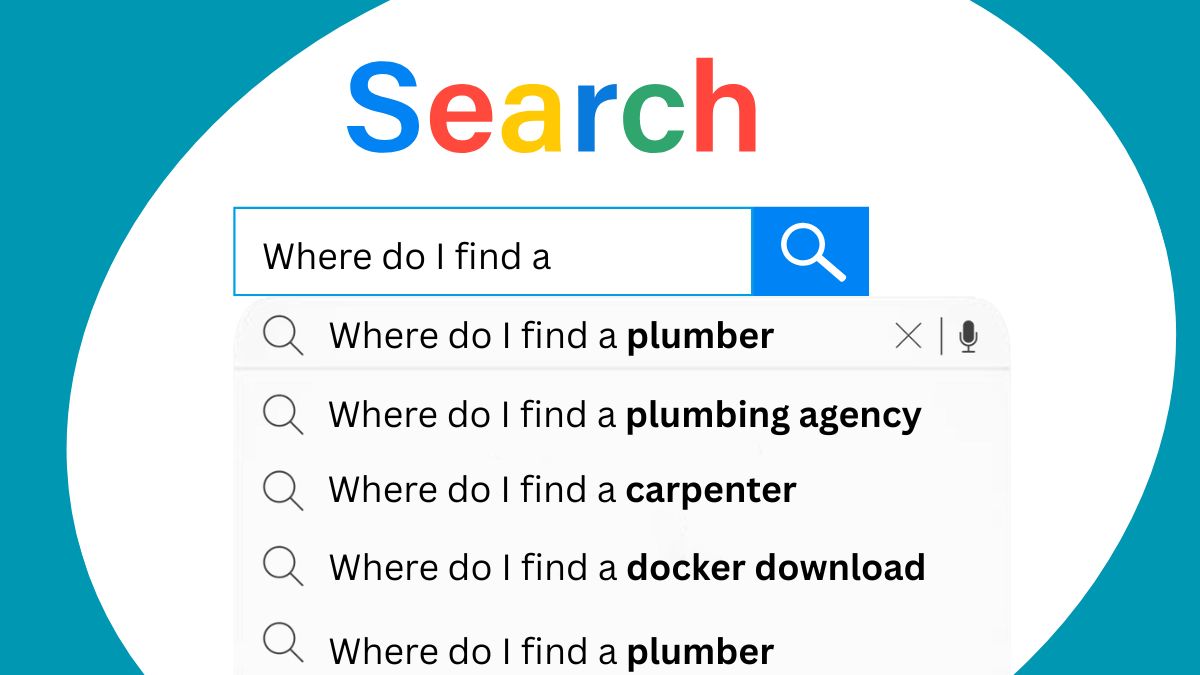
With VSO, you stop fighting for broad keywords and start capturing the niche, high-intent searches that convert.
2. Position Zero Advantage (Featured Snippets)
Voice assistants in smartphones usually read a single result aloud, typically the Featured Snippet (also known as Position Zero).
VSO increases your chances of earning this spot, significantly boosting click-through rates and dramatically increasing your organic traffic.
3. Increased Local Search Visibility (“Near Me” Searches)
A large share of voice searches is local, such as “Where’s the nearest tire repair?”
When you optimize your website for voice and local SEO (Google Business Profile, local keywords, structured data), you appear more often for these high-intent searches, leading to more local visits, calls, and conversions.
In short, voice search users often act fast, and if your site is the spoken answer, you capture focused traffic and shorten the buyer’s journey.
Web-Friendly Techniques to Boost Voice Search Performance
Voice search optimization is not about sprinkling a few extra keywords on a page. It’s a development discipline, one that teaches your website to “speak” to search engines the way people speak to their voice assistants.
As a developer, your job is to build an experience that’s fast, structured, and intuitive enough for both humans and voice algorithms, making your site ready to answer fundamental, conversational questions.
Here are the core development areas that make the most significant difference.
1. Structuring Content for Voice Intent
Voice searches are more conversational and longer than typed searches, and when users ask questions, they expect a single, straightforward answer. Your content structure must immediately serve that answer.
Forget long, winding introductions. When a voice assistant crawls your page, it looks for simple question-and-answer pairs. For that, you must use proper HTML hierarchy to signal these pairs.
What To Do
a. Use Structured Data (Schema.org): A powerful tool that makes your content discoverable as an answer. It is machine-readable code that you embed in your HTML to explicitly tell search engine crawlers what your content means.
To illustrate:
-
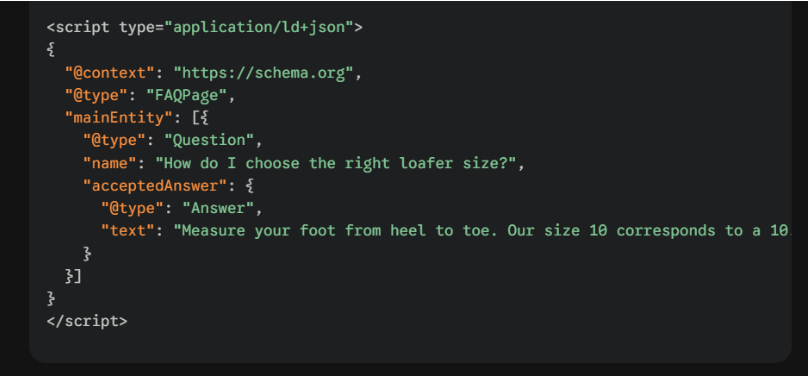
FAQPage Schema, which formalizes your question-and-answer content for a voice assistant to pluck the exact answer from an FAQ query.
-
HowTo Schema, which breaks down the steps from an instructional content (e.g., “How to fix a leaky faucet”) into a structured list that voice assistants can read aloud sequentially.
-
Product Schema, which enables tagging key information like “name”, “price”, “availability”, “review”, etc., from an e-commerce site for voice assistants to present.
-
Speakable Schema is a newer markup that specifically identifies the sections of a page best suited for audio playback via text-to-speech.
Example of a minimal JSON-LD FAQ block
b. Sort Headings: Use H2, H3 tags that are direct, conversational questions (e.g., (tag) h2 (tag) How much does the Iphone 17 Pro Max cost? (tag) h2 (tag).
c. Answer-first Paragraphs: The paragraph following the headers (h2, h3) must contain the single, concise answer, ideally under 30 words. This deliberate structure makes it easy for the search engine bot to extract the Featured Snippet, which the voice assistant then reads aloud, giving you Position Zero in the search results.
d. Create FAQ Blocks: Users often ask questions starting with "what, how, when, where, and why." With a concise FAQ section, you provide fast, precise answers that voice assistants love.
2. Building Page Speed and Core Web Vitals
Web page load speed is a vital ranking factor for all SEO, especially for voice search. Voice search results load over 50% faster than standard text results. Fast-loading pages keep users engaged, lower bounce rates, and boost conversions.
According to Google, more than 53% of users leave a website if it takes longer than 3 seconds to load. That’s why you must aggressively reduce latency on your pages.
What To Do
a. Improve Core Web Vitals
-
Code Minification: Use build tools to minify CSS, JavaScript, and HTML by removing unnecessary characters, spaces, and comments. This reduces file size and speeds up transfers.
-
Defer Offscreen Images (or Lazy Loading): Enable lazy loading (loading="lazy") for all images and videos not immediately visible when the page loads. Users shouldn’t download unseen content.
-
Leverage Browser Caching: Use HTTP headers (like Cache-Control) to instruct browsers to cache specific files (e.g., CSS and images), improving subsequent load times.
-
Image Compression: Use modern, compressed image formats (such as AVIF and WebP) and ensure images are sized correctly for their display containers. Avoid serving a 3000px image if the display size is only 600px.
-
Use Efficient Server-Side Rendering: Implement SSR or static generation to speed load times and improve crawlability, which is key for voice search.
b. Use a Content Delivery Network (CDN): A CDN delivers your static assets from servers geographically closer to the user, drastically reducing latency and load times.
3. Mobile-First and Responsive Design
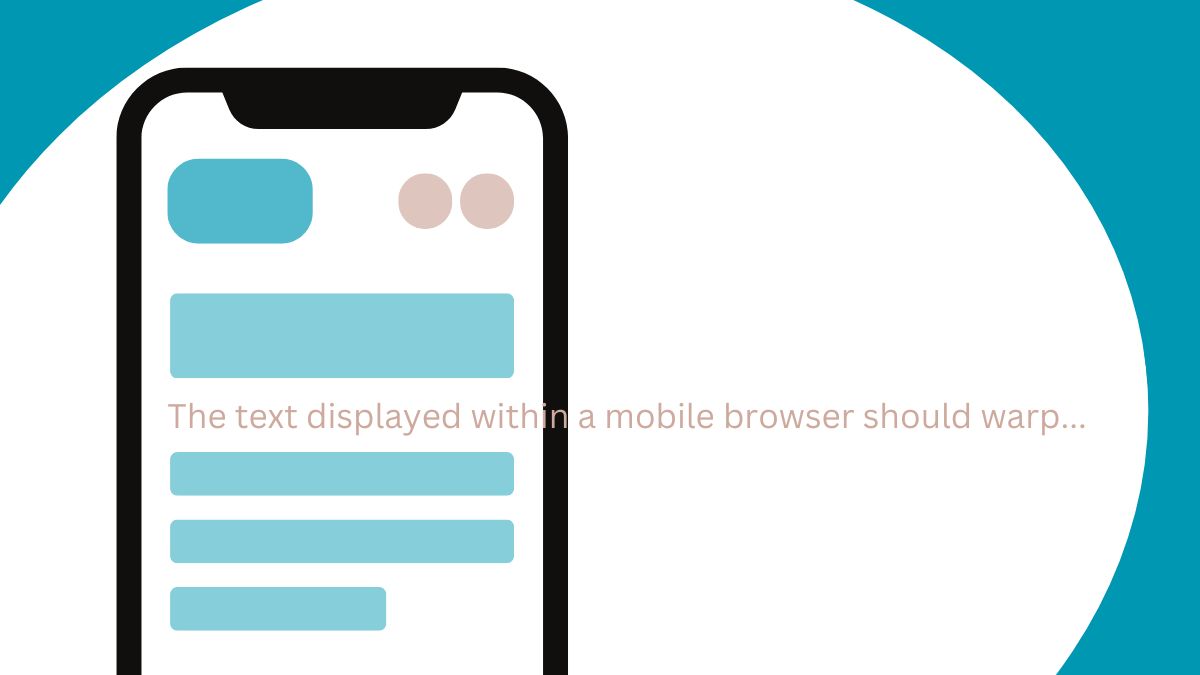
Since most voice searches originate from smartphones, mobile-first design becomes even more essential. Google also uses mobile-first indexing, meaning your mobile experience decides your ranking.
What To Do
a. Responsive Design: Use a responsive web design approach that uses a single codebase and URL for all devices. Ensure your design uses fluid grids, flexible images, and media queries to adapt to any screen size.
b. Viewport Configuration: Ensure (meta name="viewport" content="width=device-width, initial-scale=1.0") is always present within the head tag. This tells the browser to match the device's screen size.
c. Fluid Layouts: Use relative units (like percentages and view-width units, vw) instead of fixed pixels for layout elements. Your design must flex and flow instantly to any device size, guaranteeing a good user experience when they land on your page after a voice query.
d. Click Target Size: On mobile, buttons and links must be large enough and spaced adequately so a user can tap them without errors. For instance, Google recommends a minimum touch target size of 48*48 CSS pixels.
e. Fast Mobile Interactions: Reduce tap targets, create clean interface elements, and use readable fonts. Also, add service workers, offline support, and app-like performance for a smoother user experience.
4. Ensuring Accessibility and Semantic HTML
Voice search and accessibility are deeply linked. Voice assistants and screen readers both rely on straightforward, semantic HTML to understand and interpret your site's layout.
When you write accessible and semantic code, you are automatically writing voice-search-friendly code that helps voice systems pick your content more accurately.
What To Do:
a. Semantic Tags: Use HTML5 tags like Header, Nav, Main, Article, and Footer instead of endless DIV elements. These tags clearly define the purpose of each content block and help search engines understand the structure and hierarchy of content.
b. Image Context: Write descriptive, helpful alt text for every functional image to provide context for the voice assistant and improve search compatibility and overall page relevance.
c. Video and Audio Transcriptions: Always include transcripts and captions for any video or audio content. It makes the content accessible to all users and provides rich text sources for search engine crawlers to parse.
d. Accessible ARIA Labels: ARIA roles help assistive technologies read content clearly. However, add aria-label only where necessary; prefer native HTML semantics.
e. Website Security (HTTPS): Always enforce SSL/TLS encryption across your entire website, signaling trust and security to both search engines and users, especially those performing transactional, sales-focused queries.
5. Local SEO + Voice Search = Sales Booster
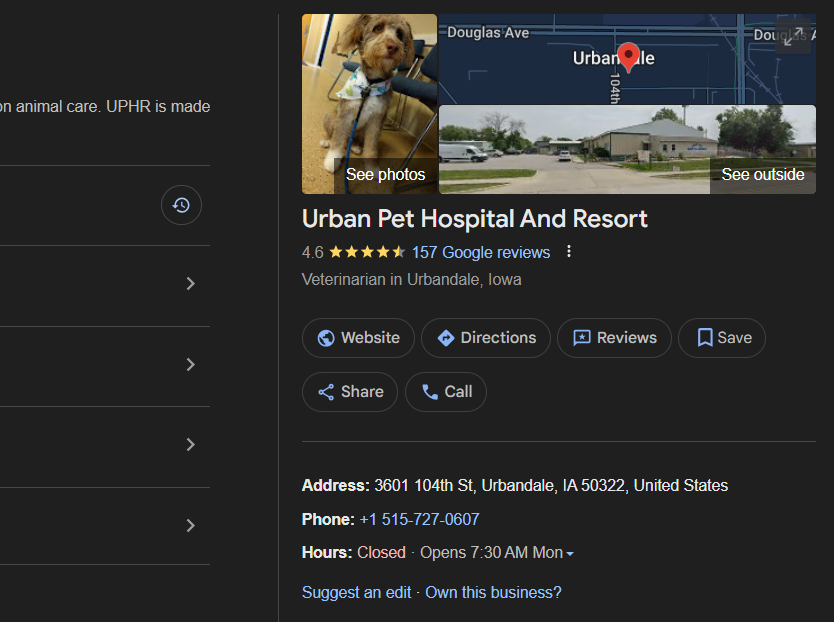
Over 58% of voice searches are local (e.g., "near me" queries). When someone asks for a local service or store, voice assistants pick the best-optimized local result. Use code to anchor your business to a physical place, making you discoverable for all "near me" queries.
Local voice searches often have high buying intent, capturing customers who are ready to act immediately.
What To Do:
a. LocalBusiness Schema: Implement the LocalBusiness schema on your location and contact pages. You must provide the exact, consistent Name, Address, and Phone number (NAP).
b. Geo-Coordinates: Include the specific latitude and longitude within your LocalBusiness schema. It helps mapping services linked to voice assistants deliver accurate directions, driving foot traffic and local sales.
6. Monitoring and Iteration
You cannot improve what you do not measure. Track the right metrics to prove that your optimization efforts are driving profit.
Traditional SEO metrics do not fully capture the value of voice search, which often results in a non-click action. You need specialized tracking, such as Key Performance Indicators (KPIs), to track these outcomes.
What To Do:
a. Clicks to Call: Track how many times users tap the phone number button on your mobile site or in the search result snippet.
b. Map Directions: Monitor requests for directions to your physical store via voice queries to the Google Maps listing linked to your store.
c. Product Research-to-Purchase Funnel: Track how many research a product using a long-tail voice query (e.g., "What are the best reviews for the ACME Loafer?") and then complete the purchase on the site.
d. Keyword Analysis: Use Google Search Console (GSC) to identify the specific, long, question-based keywords that bring traffic. These are your voice winners. Focus your future content efforts on similar phrases.
e. Featured Snippet Tracking: Employ SEO tools to monitor which of your pages are winning the "Position Zero" or Featured Snippet spot for your target question keywords.
Common Pitfalls and Ways To Avoid
| Pitfall | Why It’s a Problem | Fix / Best Practice |
|---|---|---|
| Relying solely on keyword stuffing | Voice algorithms don’t match repeated keywords—they match intent and conversational phrasing. | Focus on intent, natural language, and direct answers. Use schema markup to help search engines interpret meaning. |
| Heavy JavaScript that hides content from crawlers | Client-side rendering may delay or prevent content from being indexed, hurting voice search visibility. | Use SSR (server-side rendering) or hybrid rendering so crawlers receive complete HTML. Avoid placing key answers behind JS-only components. |
| Embedding Q/A inside images or carousels | Voice assistants can’t parse text locked inside images or interactive UI elements. | Keep answers in plain HTML text with proper schema. Use images only as visual support. |
| Overlooking mobile field data | Voice searches mostly happen on mobile; lab metrics alone can misrepresent the actual user experience. | Prioritize real-user metrics (RUM), such as LCP, CLS, and FID. Optimize for mobile loading and responsiveness. |
Final Thoughts
Voice Search Optimization sits squarely in the web developer’s domain. It merges traditional SEO with modern front-end and back-end engineering: structured data, mobile-first design, page performance, semantic HTML, and a testing culture.
When you deliver clear, machine-readable answers in a fast, mobile package, voice assistants cite your content, and customers convert faster. Start implementing these strategies today, and your sales figures will soon be speaking for themselves.
For web development and design with proficient SEO and VSO, contact Searchable Design, the best web development agency in the U.S.
Comments(0)
Your email address will not be published. Required fields are marked *
Recommended Posts
Unlock the Secret of Power BI to Empower Your Data Analysis
Turn Raw Data into Real-Time Intelligence with Power BI
Why More Startups Are Offshoring Data Engineering Roles in 2026
Unlocking Global Talent for Faster, Smarter, Scalable Growth through Offshoring Data Engineering
How to Empower Your Web Development Project in 2025?
Empowering Your Web Build with the Right Strategy, Stack, and Global Talent Network
RECOMMENDED TOPICS
TAGS
- offshoring
- outsourcing
- artificial intelligence
- remote team
- nepal
- web development
- bot model
- data analytics
- digital marketing
- it support
- business process automation
- offshore
- legacy software
- saas
- app development
- sprint planning
- remote engineering
- development
- recommender engine
- ai engine
- cybersecurity
- growth hack
- tiktok
- seo
- voice search optimization
- engineering team
- modular app
- cloud based
- api based
- data entry
- api workflow
- service level agreements
- data warehouse
- database
- cloud storage
- engineering
- bot
- scalability
- remote engineers
- insurtech
- global talent pool
- techical consulting
- power bi
- business intelligence
- backoffice
- communication
- outsource
- it roles
- data engineering
- data engineer
- content development
- business development
- offshore talent
- agentic ai
- insurance
- web security
- project management
- pms
- project management system
- agile methodology
- data
- data centric approach
- customer insight
- it infrastructure
- it sustainability
- cloud computing
- data decision
- off
- test
About
Data Not Found